GenStream Cloud PC Gaming brings PC titles to Android devices
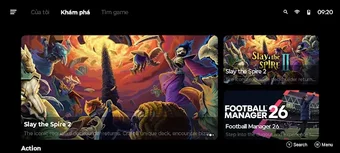
GenStream - Cloud PC Gaming, from Genstream cloudpc gamming, turns Android phones into remote gaming rigs for demanding PC titles. The app streams gameplay from cloud servers so users can launch and play Steam and AAA games without local hardware. Key capabilities include Steam library access, customizable on-screen controls, Bluetooth controller support, and an immediate no-queue session model. The target audience is mobile players and PC enthusiasts seeking portable access to their existing libraries and desktop-class gameplay on the go.
What does GenStream deliver for mobile gamers?
The app uses cloud-based streaming to run demanding PC titles and deliver them to Android screens, letting users access desktop games without owning a gaming PC. It links directly to Steam and provides Bring Your Own Game access so players launch titles they already own rather than choosing from a fixed catalogue. That design makes the app a transport layer for AAA experiences normally confined to high-end hardware.
What controllers and controls does it support?
Control options cover both touch input and physical controllers, with mapping and sensitivity settings to suit different genres and play styles. Players can customize layouts when using on-screen controls or pair a Bluetooth gamepad for traditional input. The app expects standard pairing workflows and exposes enough mapping options to approximate desktop bindings for many titles.
How consistent is gameplay across networks?
GenStream advertises optimized low-latency streaming and a no-queue system that grants immediate sessions, which helps responsiveness at session start. Real-world performance is closely tied to network quality; the developer recommends stable 5GHz Wi-Fi or 4G/5G for best results. Reported user notes emphasize that latency and frame stability vary with connection strength, so players should match expectations to their coverage.
Is GenStream practical for regular portable sessions?
The app targets mobile gamers and PC enthusiasts who want to play AAA titles away from a desktop, and because processing happens on remote servers, a high-end phone is not required for access. Android-only availability narrows device choice, so users must carry a compatible device. Accessibility depends on whether custom control layouts meet a player's needs or if they prefer pairing a controller for longer sessions.
To sum up, who benefits most from GenStream?
To sum up, GenStream is a practical option for mobile players who want Android access to their PC libraries; one important caveat is that sustained play quality depends on local network conditions. For reliable long sessions, test a short streamed game first and use a paired Bluetooth controller to reduce input fatigue. The app suits players prioritizing library access and portability over owning dedicated hardware.